Открытые исправления кода ошибки Marvel конкурентов
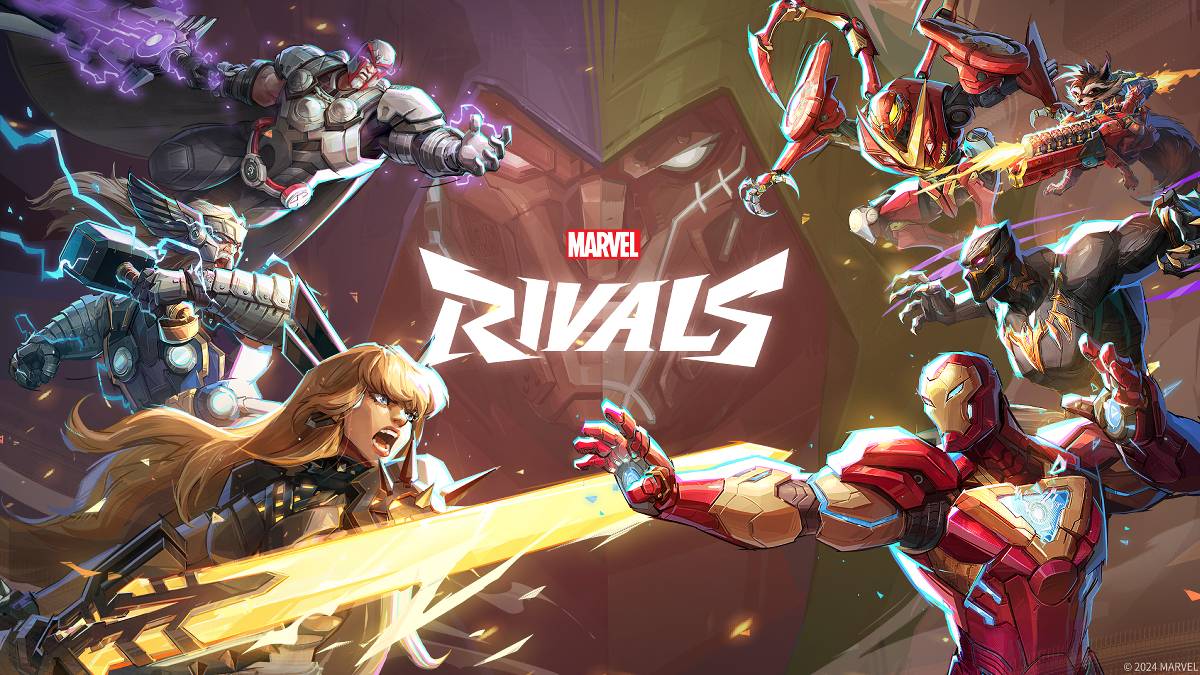
Устранение неполадок Marvel конкуренты Коды ошибок: комплексное руководство
Современные игры неизбежно связаны с ошибками и кодами ошибок, а Marvel конкуренты не являются исключением. Это руководство предоставляет решения для общих кодов ошибок, которые могут препятствовать вашему игровому процессу.
Общие Marvel конкуренты ошибки и решения
В следующей таблице подробно описываются различные коды ошибок, их описания и потенциальные решения:
| Error Code | Description | Solution |
|---|---|---|
| Error 4 | Frequently appears on PlayStation, but can also occur on PC. | Check internet connection; Verify server status; Relaunch *Marvel Rivals*. |
| 99% Loading Bug | Game freezes at 99% during match loading. | Check internet connection; Close background applications; Adjust Network Diagnostic Settings. |
| Error 211 | Common on Steam, indicating connection problems. | Check server status; Disable third-party server blockers; Check internet connection; Verify game files. |
| Error 10 | Occurs upon launching, usually due to poor internet connection. | Check internet connection; Relaunch *Marvel Rivals*; Check server status. |
| Error 220 | Potentially caused by server location or firewall settings. | Adjust security firewall settings; Modify DNS settings; Disable third-party server blockers; Use a VPN. |
| Error 21 | Sometimes encountered by Xbox players during launch. | Restart console; Reset router; Check server status; Disable IPv6; Use a VPN. |
| Error 5 | Specific to PlayStation players; indicates high ping and packet loss. | Address high ping and packet loss (check internet connection, network configuration). |
| Error 26 | Prevents gameplay. | Check internet connection; Disable VPN; Clear cache files; Verify game files. |
| Packet Loss Error | High ping and packet loss due to high latency. | Check internet connection; Close background applications; Adjust Network Diagnostic Settings. |
| DX12 Not Supported | Game fails to launch due to DX12 incompatibility (often related to Windows updates or GPU issues). | Update Windows; Update GPU drivers; Reinstall *Marvel Rivals*. |
| Error Code 258 | Login failure via PC launcher (common with Epic Games Store). | Refer to Epic Games Store support for troubleshooting. |
| Error LS-0014 | Occurs with Epic Games Store. | Check antivirus software; Verify game files; Reinstall the game. |
| Igniting the Timestream | Encountered during matchmaking. | Check server status; Restart the game; Check internet connection. |
| Version Mismatch | Appears after game updates. | Verify game files; Check for updates; Check internet connection. |
| Out of Video Memory | Prevents gameplay. | Check VRAM; Update GPU drivers; Close background applications. |
| Blue Screen Error | A critical system error. | Clean install GPU drivers; Lower graphics settings; Run Windows Memory Diagnostic Tool. |
- Marvel Rivals* В настоящее время доступны на PS5, ПК и Xbox Series X | S.
Последние статьи
Ragnarok X: Next Gen Cooking Mastery
A Mythic Culinary Adventure Where Legends Heat the Skillet
🔥 Prologue: The Fall of the Feast
The realms of Asgard, Midgard, and Niflheim once thrived on the divine harmony of Odin’s Eternal Banquet. But when the Great Burn of Yggdrasil shattered the sacred hearth, the food of the gods turned to ash. The runes of flavor vanished. The spices forgot their names. And the gods… began to hunger.
Only one soul remains untouched by the curse: Kai, a mortal chef from the forgotten village of Hearthmire, who wielded a cursed Oven of the Ancestors—a relic said to have been forged in the heart of a dying star.
Now, the final prophecy calls:
"When the last flame flickers, and the last taste fades, a new cook shall rise—not to serve gods, but to rebuild them."
⚔️ Gameplay: Master the Elements of Flavor
In Ragnarok X: Next Gen Cooking Mastery, you don’t just cook—you wield myths.
Each dish is a Legendary Brew, combining:
🔥 Elemental Ingredients: Stormberries (lightning-infused), Frostroot (from the heart of Jörmungandr), Phoenix Peppers (from a dragon’s breath), and the rare Elixir of Eternity (only obtainable by solving a riddle from a whispering troll).
🍳 Cooking Styles:
Soul-Grilling (involves battling a fire spirit mid-cook)
Fate-Stirring (your knife choices alter the story)
Destiny-Baking (a 3D oven that warps time during baking)
🧪 Alchemy of Taste: Unlock combos like:
Frostroot + Stormberry → Thunder Tart (fires lightning bolts when served)
Phoenix Pepper + Elixir → Eternal Nectar (heals 100% HP and grants temporary god-form)
📜 The Nine Trials of Flavor
To restore the feast, you must complete the legendary Trials, each guarded by a fallen deity turned gastronomic guardian:
Trial of the Hungry Loki – Cook a dish that makes the trickster laugh mid-argument.
Trial of the Silent Thor – Serve a meal that reignites the god of thunder’s rage.
Trial of the Weeping Freya – Craft a dish that makes the goddess of love weep with joy.
Trial of the Starving Fenrir – Feed a wolf made of black ice without getting devoured.
Trial of the Drowned Heimdall – Cook in a submarine forged from forgotten runes, beneath the sea of tears.
Each trial challenges not just your skill, but your empathy, creativity, and moral choices.
🎭 Narrative Depth: Food as Destiny
Bad choices = cursed dishes that summon Taste Ghouls (beasts made of bad seasoning).
Kindness = unlock Soul Recipes (e.g., "Mother’s Hug Stew" heals emotional scars).
Betrayal = receive the Curse of the Hungry Ghost, where every meal you make turns to ash.
🌟 Final Boss: The Last Dish of Ragnarok
The final challenge? Cook The True Feast of Rebirth, a 12-course banquet that must be served on the battlefield of Ragnorok itself—while gods fight, skies bleed, and time fractures.
But here’s the twist:
You cannot use any ingredient from the realms.
You must craft flavor from memory, emotion, and legend.
Only by combining:
Your grandmother’s apple pie (memory),
The first kiss you ever had (emotion),
And the sound of a dying star (legend)...
…will you unlock the ultimate dish:
“The First Bite of the New World”
—A meal so perfect, it reboots reality.
🎮 Features (Next-Gen Experience)
Haptic-Sync Kitchen: Feel the sizzle of a pan through your controller.
AI Flavor Combinator: The game learns your taste and suggests wild new recipes.
Multiplayer Myth Kitchen: Team up with friends to cook a 50-course banquet across realms.
Cooking Theater Mode: Watch your journey unfold as an animated epic (like a Norse MasterChef).
✨ Tagline:
“The world was broken by hunger. Now, it will be healed by a single, perfect bite.”
🍖 Coming Soon to PlayStation 6, Xbox Infinity, and the Dream Realm (VR).
Pre-order now and receive the Legendary Knife of the First Flame—forged from a fallen star, capable of slicing through lies and magic alike.
Would you like to:
Start your first recipe (e.g., "Stormgrilled Salmon with Memory-Maple Glaze")?
Unlock a hidden god-tier ingredient?
Begin your Trials?
Choose your next move, Master Cook. The feast awaits. 🔥🥘✨
Чтение
Трендовые игры










Главные новости







Последние игры