Application Description
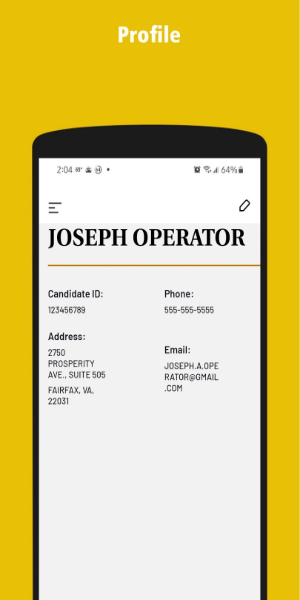
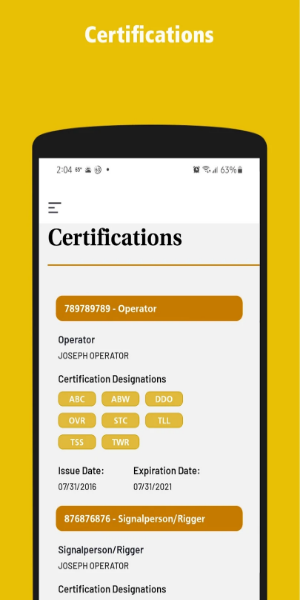
The myCCO portal is a free Android app developed by TrueTandem that enables users to manage their certifications in real time. It provides easy access to current certification status, expiry dates, upcoming exams, and recent exam history.
Functions:
1. Real-Time Certification Management: Keep your certification journey on track with the myCCO Portal. Easily monitor the status of your certifications with up-to-date information on expiration dates, upcoming exams, and renewal requirements. Whether renewing a certification or preparing for an exam, myCCO Portal sends timely alerts and reminders to help you stay organized and on schedule.
2. Comprehensive Exam History: Access a complete archive of your exam results with myCCO Portal. Review past scores, performance data, and your progress over time. This feature helps you track achievements and plan more effectively for future certifications.
3. Notification Alerts: Stay on top of deadlines and important dates with personalized alerts from myCCO Portal. Receive reminders for upcoming exams, certification renewals, and other critical updates, ensuring you’re always informed and proactive about your certification timeline.
4. Document Storage: Securely store and manage all your certification-related documents directly in myCCO Portal. Upload, access, and retrieve important files like certificates, transcripts, and renewal forms with ease. This central storage makes it simple to keep essential documents organized and always accessible.
5. User-Friendly Interface: Enjoy effortless navigation with myCCO Portal’s intuitive design. The app provides straightforward access to all certification features—whether you’re checking statuses, reviewing exam history, or setting notifications—ensuring a smooth user experience.
6. Offline Access: View important certification details even when you’re not connected to the internet. With myCCO Portal, you can access your certification statuses, upcoming exams, and history anytime, anywhere, regardless of connection.
Tips for Users
1. Download and Installation: Begin by downloading the myCCO Portal app from the Google Play Store or Apple App Store and install it on your Android or iOS device.
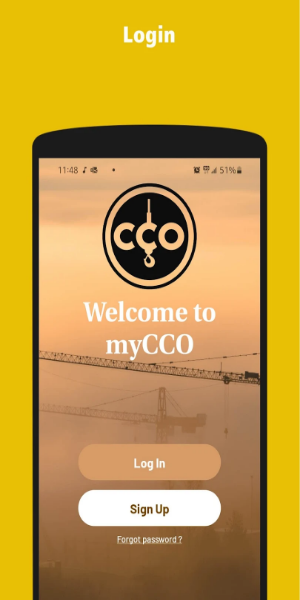
2. Account Setup: Open the app and create your account. Enter your personal information and credentials accurately to ensure a secure login.
3. Certification Tracking: After logging in, go to the certification management section. Input details such as certification types, expiry dates, and scheduled exams.
4. Exam History Access: Use the exam history feature to view detailed records of your previous exams and performance metrics. This helps you track progress and identify improvement areas.
5. Notification Settings: Customize your alert preferences in the app. Set reminders for exams, renewals, and certification updates. Make sure notifications are turned on to stay informed.
6. Document Management: Use the secure document storage to upload and manage certificates, transcripts, and renewal forms. Keep all essential documents on hand for easy access.
7. Offline Functionality: Access key certification information even without an internet connection. View statuses, upcoming exams, and exam history offline for uninterrupted convenience.
8. User Assistance: Refer to in-app help guides or contact customer support if you have questions or need assistance using myCCO Portal effectively.
9. Regular Updates: Keep the app updated to benefit from the latest features and improvements. Check the app store periodically for updates.
10. Explore Additional Features: Discover extra tools like setting favorite addresses for quicker access, reviewing driver ratings, and sharing certification milestones with others.
Conclusion:
myCCO Portal simplifies certification management with a user-friendly interface and real-time updates. It empowers users to stay informed about their certification status, upcoming exams, and exam history directly from their Android devices. For efficient certification management, myCCO Portal by TrueTandem is an essential tool that keeps users prepared and up-to-date.
Screenshot
Reviews
Apps like myCCO portal













Trending apps






Top News







Latest Apps





Latest Articles