Application Description
Media Studio is a powerful, all-in-one platform for creating, editing, and managing multimedia content. It offers a comprehensive suite of tools for video editing, audio production, graphic design, and animation. Collaborate with team members, access a vast library of assets, and use professionally designed templates to speed up your creative process. Ideal for both professionals and hobbyists, Media Studio helps you produce top-tier media content with ease.
Key Features of Media Studio:
⭐ Professional Editing Suite: Media Studio provides an extensive array of advanced audio and video editing tools, perfect for filmmakers and musicians who need precise control over their projects.
⭐ Stunning High-Quality Output: Enjoy support for true 4K resolution and bitrates up to 30,000 kbps, guaranteeing your final videos remain crisp and in high definition.
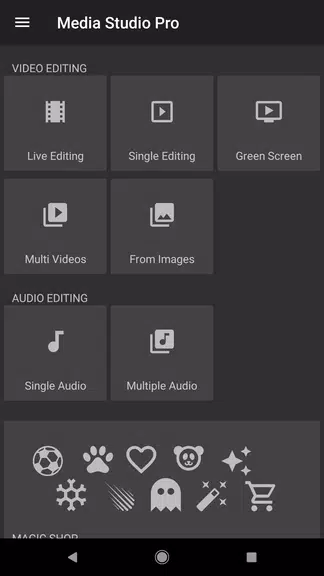
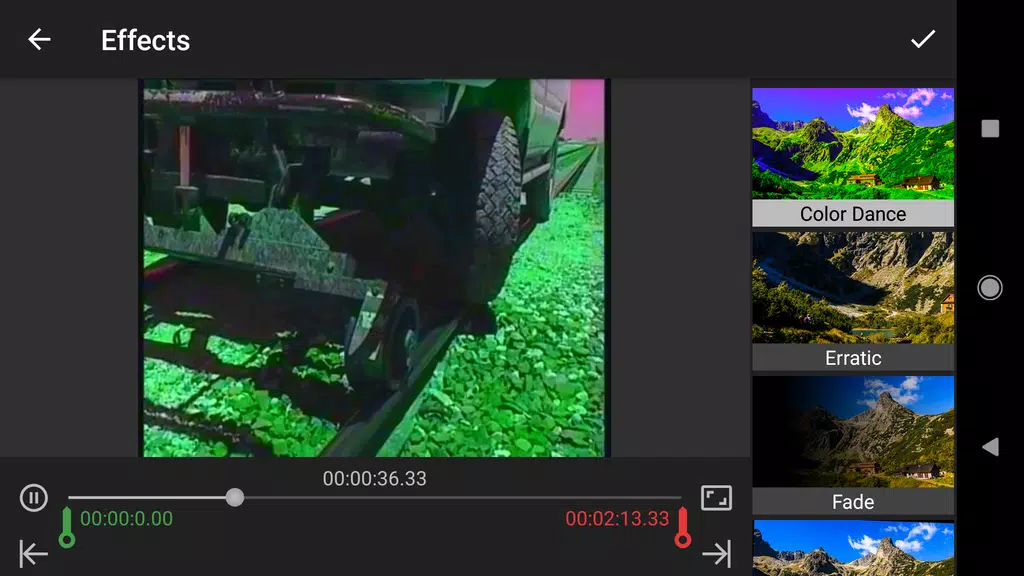
⭐ Creative Editing Tools: Beyond standard features, discover unique options like Green Screen effects, a built-in GIF maker, and Color Dance for adding a personal, artistic touch.
⭐ Fully Portable Workspace: Take a complete editing studio with you. Work on your projects anywhere, at any time, even without an internet connection.
Frequently Asked Questions:
⭐ Can I export videos without a watermark?
- Yes, Media Studio does not apply any watermarks to your exported videos.
⭐ Are there any limits on video export length?
- No, you can export videos of any length with the app.
⭐ Is the free version of Media Studio fully featured?
- The free version lets you apply one effect at a time. You can upgrade to the Pro version to unlock all advanced features.
In Conclusion:
Thanks to its professional tools, superb output quality, unique creative options, and true portability, Media Studio is an essential app for filmmakers and musicians aiming to elevate their work. Download it today to unleash your creativity and produce impressive audio and video projects wherever you are.
Latest Updates
Added a GIF creator for converting videos to GIFs.
Introduced a subscription plan.
Added Subtitle support in the player, including multiple tracks.
Added Audio track support in the player.
Added over 140 color filters in "Live Editing → Filters".
Added "Copy Area" and "Swap Area" options in "Live Editing → Box Overlays".
Minor user interface improvements.
Fixed various bugs.
Resolved an issue with Green Screen editing.
Screenshot
Reviews
Apps like Media Studio