Heim Nachricht Anfängeranleitung zum Meister der Welt von Growtopia

Anfängeranleitung zum Meister der Welt von Growtopia

Autor : Alexander Aktualisieren : Feb 19,2026

Growtopia ist ein Sandbox-MMO von Ubisoft Abu Dhabi, bei dem Spieler Gegenstände anbauen, eigene Welten erstellen, Waren handeln und leichtes PvP-Kampfvergnügen genießen können. Zuerst von Robinson Technologies und Hamumu Software im Jahr 2012 veröffentlicht, hat es sich zu einem lebendigen Raum für von Spielern erstellte Inhalte und dauerhafte 2D-Welten entwickelt. Das Spiel verfügt über keine festgelegte Handlung oder Siegbedingung. Stattdessen bestimmen Sie Ihren eigenen Weg – etwa durch die Führung eines erfolgreichen Geschäfts, die Anhäufung von Reichtum durch Handel oder die Erstellung eines ausgedehnten Parkour-Kurses.

Dieser Leitfaden für Anfänger führt Sie durch die Grundlagen und hilft Ihnen, häufige Anfängerfehler zu vermeiden.
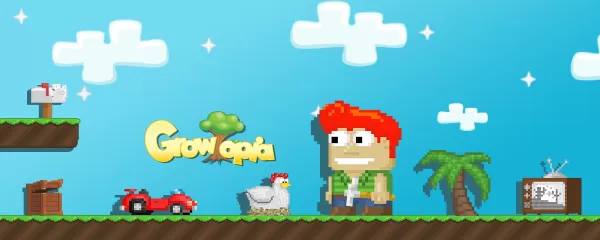
blog-image-GT_BG_ENG01

Growtopia ist eine echte offene Sandbox, bei der Fortschritt durch Wissen, Kreativität und soziale Interaktion angetrieben wird. Die anfängliche Lernkurve kann steil sein, aber sobald Sie das Samen-System verstanden haben, sicher handeln lernen und geschützte Welten eingerichtet haben, wird das Spiel zu einem tiefgreifenden und lohnenden Abenteuer. Egal, ob Sie ein engagierter Bauherr, ein aktiver Händler oder ein entspannter Landwirt sind – Growtopia bietet Ihnen die Werkzeuge und Freiheit, Ihre eigene Reise zu gestalten.

Für das beste Erlebnis beim Anbauen und Erstellen von Welten empfehlen wir, Growtopia auf BlueStacks zu spielen.

Fahren Sie mit unserem anderen detaillierten Leitfaden fort, um Growtopia weiter zu meistern:

Wie man Growtopia mit BlueStacks auf dem PC installiert und spielt
Growtopia Einlösecodes & Was Sie wissen sollten

Neueste Artikel

Mehr
Doki Doki Literature Club! has officially made its way to Android, bringing with it a fresh and immersive experience for mobile gamers. Developed by Team Salvato, the psychological horror visual novel has long been celebrated for its deceptively cute aesthetic and deeply unsettling narrative twist. Now, fans and newcomers alike can enjoy the full story on their Android devices, complete with new side stories and a specially designed exclusive music player. What’s New in the Android Release? New Side Stories: Explore previously unseen character backstories and alternate perspectives, diving deeper into the lives of Sayori, Yuri, Natsuki, and Monika. These emotional and often haunting tales expand the game’s lore and offer new insights into the Literature Club’s mysterious dynamics. Exclusive Music Player: A brand-new interactive music player lets players curate their own soundtrack from the game’s hauntingly beautiful original score. With ambient tracks, emotional piano melodies, and eerie synth pieces, the music player enhances the atmosphere and gives fans a unique way to experience the game’s audio. Optimized Mobile Experience: The Android version features touch-friendly controls, responsive UI, and optimized performance for a wide range of devices. Text scaling, portrait/landscape support, and customizable subtitles ensure accessibility and comfort. Enhanced Accessibility: Subtitle customization, adjustable text speed, and support for screen readers make the game more inclusive than ever. Bonus Art Gallery: Unlock concept art, character designs, and behind-the-scenes sketches from the development of the game. Why It’s a Must-Play on Android As a genre-defining title in indie horror, Doki Doki Literature Club! challenges players’ perceptions of narrative, player agency, and reality itself. The Android release makes this landmark experience more accessible than ever, whether you’re revisiting the story or experiencing it for the first time. Whether you’re drawn to the sweet high school romance, the creeping dread beneath the surface, or the meta-narrative about the nature of games and emotions—this version delivers it all with polish and care. Download now on Google Play and step into the Literature Club. But be careful… the poems might not be the only thing that’s written in code. 🔗 Available on the Google Play Store – Free with optional in-app purchase for full music player and art gallery access. 🎮 Rated 18+ for mature themes, psychological horror, and disturbing content. Lektüre
As of now, there is no official Nintendo Switch 2 released, so there is no official "Nintendo Switch 2 HDMI cable" available on the market. Nintendo has not announced a successor to the Nintendo Switch, and all current HDMI cables for the original Nintendo Switch are still the correct and recommended accessories. However, if you're experiencing issues with the Joy-Cons (such as drifting, disconnecting, or not syncing), using a high-quality HDMI cable can help ensure a stable video signal to your TV, but it will not directly fix Joy-Con problems. Here’s what you should know: Joy-Con Drift: This is a known hardware issue where the analog sticks move on their own. It’s typically caused by wear and tear or dust inside the stick mechanism. A better HDMI cable won’t fix this. Using a Quality HDMI Cable: While a standard HDMI cable (preferably HDMI 1.4 or higher) is sufficient for the Switch, using a certified, high-quality cable (like one from Nintendo or a reputable brand) ensures: Stable 1080p video output Proper audio transmission Reliable connection (reducing signal dropouts) Nintendo’s Official HDMI Cable: Nintendo does sell an official HDMI cable for the Switch, which is designed to meet their performance standards. It’s not a "Switch 2" cable, but it’s a reliable option for the current Switch. Recommendations: For Joy-Con issues: Try: Calibrating the Joy-Cons in the system settings. Cleaning the analog sticks (if you're comfortable doing it). Contacting Nintendo Support for repair/replacement (if under warranty). For HDMI stability: Use a certified HDMI cable (official or reputable third-party like Anker, Belkin, or Cable Matters). In short: You cannot use an "Official Nintendo Switch 2 HDMI Cable" because the Switch 2 does not exist yet. Using a high-quality HDMI cable may improve your TV output stability, but it won’t fix Joy-Con drift or disconnection issues. Address Joy-Con problems directly through calibration, cleaning, or repairs. Stay updated via official Nintendo channels for any future announcements about a Switch successor. Lektüre