Application Description
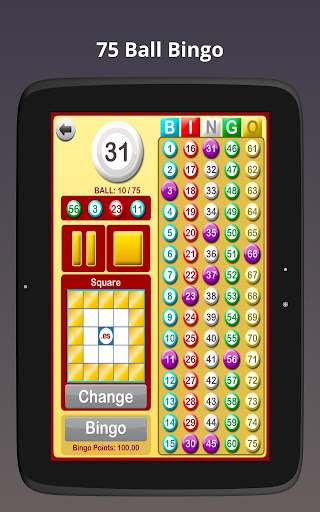
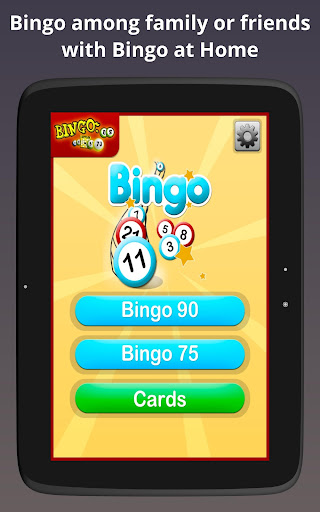
Turn your living room into a lively bingo hall with Bingo at Home! This flexible app is ideal for family game nights or friendly get-togethers. Easily toggle between 90-ball and 75-ball bingo with its user-friendly design to suit every player's taste. Take advantage of automatic or manual number calling, plus the ability to pause and resume games whenever you like. You can even cast the game from your phone to your TV, so everyone enjoys the action on a larger display. Whether you're playing for fun or adding thrill with cash prizes, Bingo at Home is your perfect companion for an entertaining evening.
Why Choose Bingo at Home?
> Enjoy bingo at home with loved ones or friends
> Two modes available: Automatic and Manual
> Adjustable speed for calling bingo balls
> Play 90-ball or 75-ball bingo variations
> Select from various patterns to complete in 75-ball bingo
> Pause and restart function for checking numbers and marked lines
How to Get Started with Bingo at Home
Download the App: Install Bingo at Home from your device's app store.
Connect to TV (Optional): For a bigger view, mirror your phone to your TV.
Choose Game Type: Pick either 90-ball or 75-ball bingo depending on your regional style.
Select Game Mode: Choose automatic for smooth gameplay or manual for a classic feel.
Play the Game: As numbers are called, mark them off on your digital cards.
Track Your Progress: Use the app to monitor called numbers and how close you are to bingo.
Call 'Bingo!': When you complete a line or your full card, shout 'Bingo!' to win.
Adjust Settings: Personalize settings like ball call speed and audio to your liking.
Play Responsibly: Keep in mind the game can be played for fun or cash rewards—always enjoy responsibly.
Screenshot

Reviews
Games like Bingo at Home







Trending Games








Top News







Latest Games





Latest Articles