

Application Description
Discover Aurora – Poweramp Skin, a standout app that redefines music innovation and customization. More than a simple overlay, it's a dynamic canvas that transforms your music player, introducing a symphony of visual upgrades that bring your audio to life. This brief guide will show you how Aurora elevates your music experience, letting you personalize every detail of your Poweramp player to reflect your unique style. Prepare to explore a captivating blend of aesthetics and functionality that will completely change how you enjoy your digital music collection.
Free Personalization
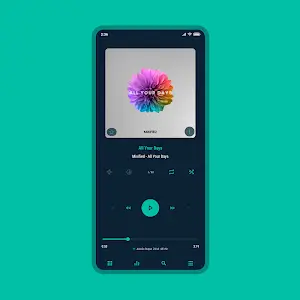
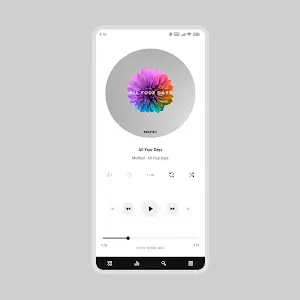
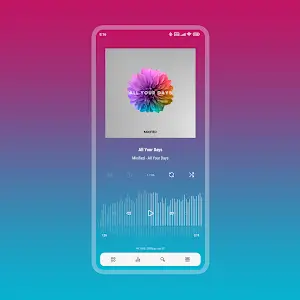
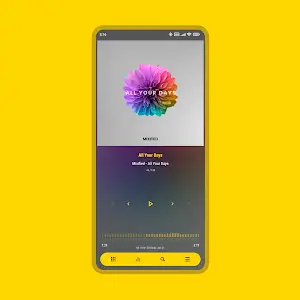
Aurora immediately impresses with its vast array of personalization choices. Choose from 35 accent colors and 19 background options, including timeless black and white, to design a player that suits your mood or style. With support for Material You themes, Aurora effortlessly syncs with your system's dark or light mode for a seamless look.
It also provides three unique player layouts and lets you adjust track title alignment. For a softer album art display, blur the background and apply overlays like gradients or transparency effects—just one of several artistic tools available. Customization extends to icons, with diverse sets for your library, navigation, bottom buttons, equalizer, and V.T.R.S (Visual, Theme, Rating, Sort) features. Tailor these icons by color, shape, corner radius, and size, opening endless ways to craft a music player with its own visual signature.
Font Flexibility
With 28 distinct font styles, Aurora lets you pair typefaces with your choice of colors and sizes. Use accent title colors to highlight song details, customize navigation text color, or even capitalize text to fit your theme. You can also select the perfect text color for bottom buttons to maintain a consistent, polished appearance.
Library and Navigation Customization
Aurora caters to detail-oriented users with fine-grained controls. Adjust the corner radius and opacity of header buttons and album art icons. Customize the library's track title position, shape the background and edges of bottom buttons, and define the color and spacing for selected tracks. The result is a music library that feels like a natural extension of your personal taste.
Modify navigation styles, background colors, and corner radius to align with your visual preferences. You can also adjust the player UI navigation background, offset the navbar, pick an indicator color, or opt for a clean, transparent navigation bar for a minimalist look.
Knob and Equalizer – Tuning Your Sound and Style
Aurora even allows you to style the knob and equalizer. Change their design, shape, corner radius, thumb style, and indicator appearance. Fine-tune the equalizer with various spectrum and button styles, ensuring your audio adjustments are as visually engaging as they are effective.
Album Art: The Art of Transition
In Aurora, album art comes to life. Apply transition effects between tracks or set your own custom animations. You can also select art sizes and corner styles for the player, library, and header views. Dynamic corners and subtle shadows add further polish, enhancing the overall visual appeal.
Player Controls: Making Music Your Own
Whether you favor simplicity or detailed controls, Aurora has you covered. Configure professional buttons with various shapes, styles, and colors. Adjust wave bars and seek bars to match your preference. With so many options, you can build a music player interface that truly reflects your personality.
Conclusion
Aurora Poweramp Skin is a dazzling fusion of personalization and function. Its extensive customization features enable you to create a music player that is uniquely yours, transforming your listening experience into something both audible and visually stunning. Aurora takes Poweramp to the next level, ensuring your music is not only heard but celebrated in style.
Screenshot
Reviews
Apps like Aurora - Poweramp Skin














Trending apps








Top News







Latest Apps






Latest Articles